


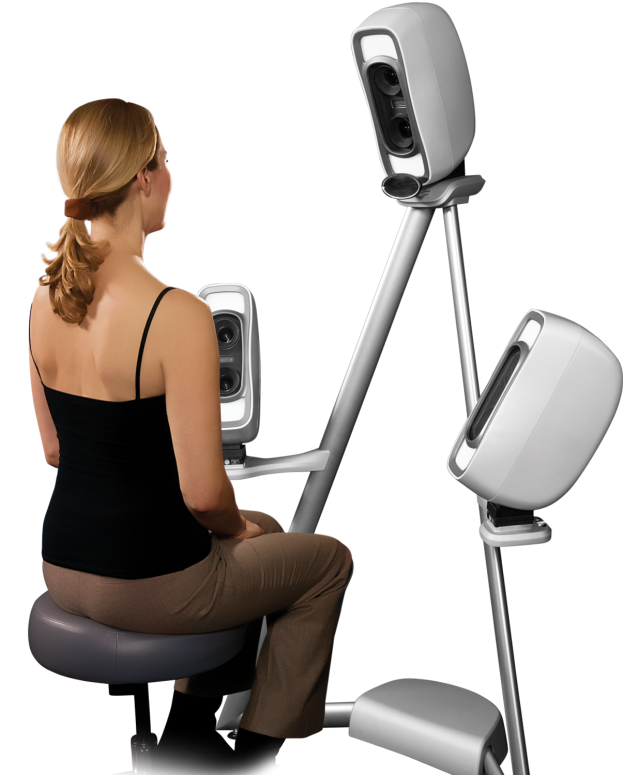
3D imaging for the face and neck. Complete with dedicated imager viewer and software.
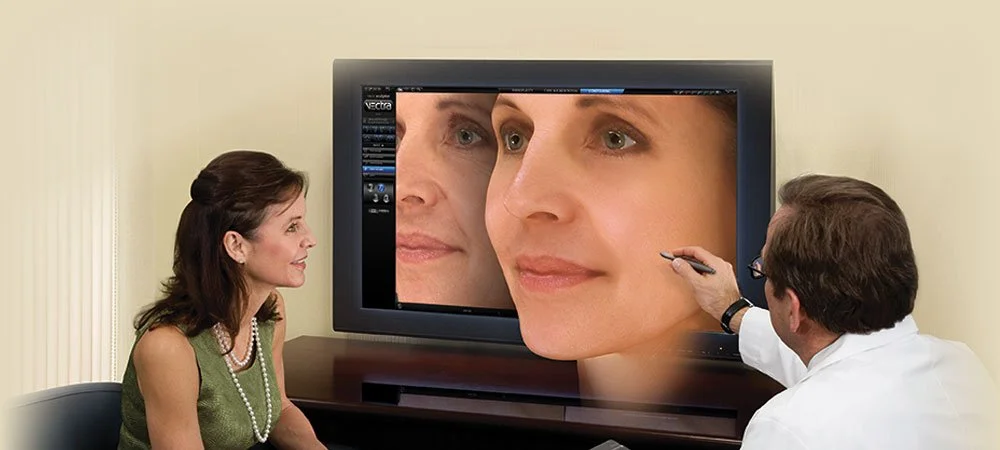
Engage in a streamlined, persuasive consultation as you view the three-dimensional image from any angle, zoom in for a closer look, superimpose the simulation over the pre-op, compare side-by-side, or fade between the two
Communicate the possibilities
-
Increased patient referrals and drive greater media exposure with state-of-the-art assessment tools and realistic 3D results.
-
Use your patient's own image to explore possible outcomes, educate them about their options, explain limitations, and set appropriate expectations.
-
Show the difference between the likely outcome of a single procedure or by combining multiple procedures.
-
Visualise your patient's expectations, arrive at a shared understanding of treatment objectives, and help your patient decide on the best possible treatment plan.
-
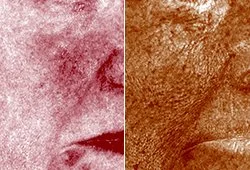
Canfield's proprietary RBX® technology separates the unique colour signatures of red and brown skin components for unequalled visualisation of pre-treated skin conditions.
-
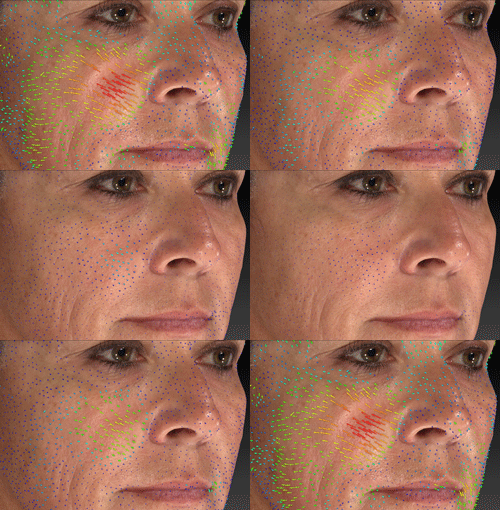
Markerless Tracking provides a dynamic assessment of skin surface changes. Skin surfaces are automatically aligned, tracked and mapped.

-
When you're finished, click the optional Print button to select what you wish to show on the printed report, including your practice information and selectable 2D views of pre-op and/or simulation.
Sculpt the Dream
-
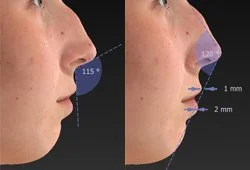
Accurate measurements help your patients visualize their current condition and simulated changes.

-
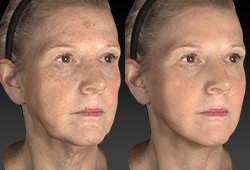
Visualise your patient's hopes and expectations. Quickly arrive at a shared understanding of objectives.
-
Unlimited technical support, hardware warranty, training webinars, software upgrades and ViewMyConsult® access.

-
Automatically measure the volume difference and visualise the degree of contour change with a colour distance map.
-
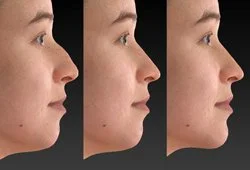
Demonstrate the difference between the likely outcome with only one or multiple procedures. With Face Sculptor® you can explore the possibilities and help your patient decide on the best possible treatment plan.

-
Canfield Imaging Systems is making every effort to develop software that integrates easily into a HIPAA-compliant practice and to assist our customers in complying with HIPAA.
Technical specifications
-
1.2 mm geometry resolution (triangle edge length)
3.5 milliseconds capture time
On-board modular, intelligent flash units
Stereophotogrammetry technology
Floor stand
Stool
Dell computer and flat panel display
-
VECTRA® Capture Module
Face Sculptor®
Skin Analysis Sculptor (optional)
RBX® image processing
VECTRA® 3D Analysis Module
Mirror® PhotoFile®
Mirror® PhotoTools®
-
100-120V AC, 50/60 Hz, 4.0A or
220-240V AC, 50/60 Hz, 4.0A
-
Configured and supplied by Canfield. Computers from other suppliers are not supported.
-
Operating system:
Windows 10 Professional 64 bit (Recommended) or Windows 11 Professional 64 bit
NOT SUPPORTED: Windows Home Edition and Windows 7
Processor: Intel Core i7 10th Gen (or higher)
System memory (RAM): 16 GB or higher
Minimum 2 GB available disk space for installing application
Minimum 1 TB available disk space recommended for data
Graphics card:
2 GB dedicated memory minimum (4 GB Highly Recommended)
Dedicated nVidia or AMD cards (nVidia Highly Recommended)
Driver: latest available
3.0 or later Open GL
USB Ports: 2 dedicated ports (USB 2.0)
Display: 1920 x 1080 (FHD) minimum; 3840 x 2400 (4K) maximum
Microsoft Security Essentials anti-virus software recommended
Wired printers (recommended for speed)
1 Gbps Ethernet connection for networking - remote DB access not supported over Wi-Fi
-
Minimum support of 802.11n or later protocol by the intra-office Wi-Fi router
Requires iPad capable of running the current version of iOS
-
Windows Server 2016 64-bit and 2019 64-bit
Microsoft SQL Server 2017 and 2019 (Express edition is installed by default)
2.2 GHz or faster processor
16GB system memory (RAM)
1 Gbps wired LAN connectivity (Wi-Fi not supported)
1 Terabyte HDD, minimum. Space required is dependent upon patient volume, camera used, and settings.
RAID 1 - NOT SUPPORTED
Regularly scheduled backups are highly recommended.
-
We do not support using a server class OS as a workstation.
WAN Connectivity is NOT supported
Workstation based cloud licensing